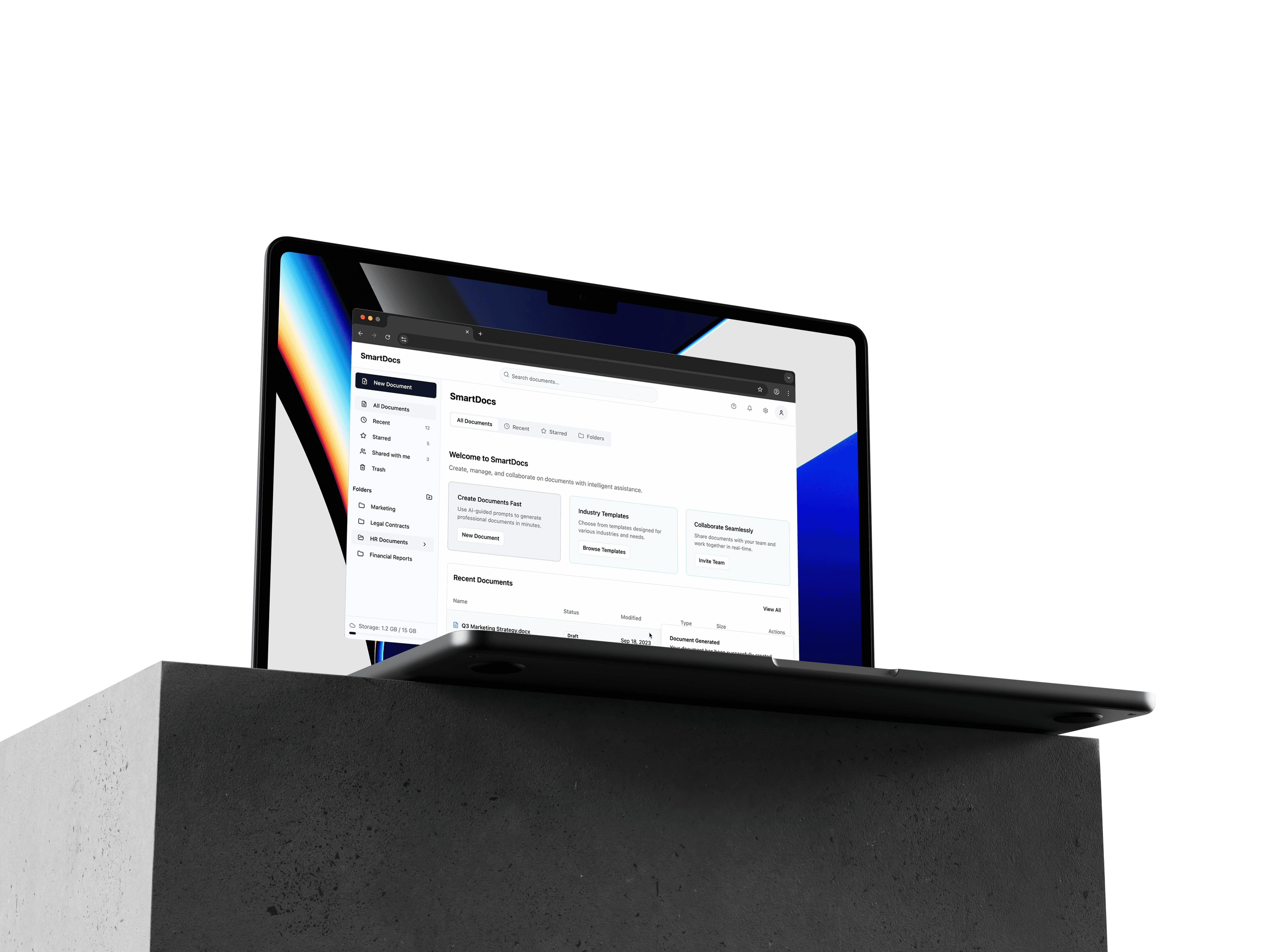
Document creation has a blank page problem. But the blank page isn't the real problem, it's a symptom of not knowing what to write, in what structure, with what language, for what purpose.
SmartDocs started from a simple observation: the tools that store business documents and the intelligence needed to write them have never been in the same place. You find the NDA template. You open it. You stare at "[PARTY A]" and "[DESCRIBE SCOPE OF WORK]" and realise the template hasn't actually helped you write anything, it's just given you a more structured version of a blank page.
Looking at how teams handle this makes the failure modes visible.
The Boilerplate Bottleneck: Teams keep local copies of templates because the shared drive is disorganised and nobody is sure which version is current. Three people on the same team using three different NDAs is not unusual.
Blank Page Paralysis: Providing the right template in the right version still doesn't solve the drafting problem. Sections like "Market Analysis" or "Long-Term Vision" stop people cold. They know what they mean, but not how to express it in the register the document requires.
The Filing Cabinet Trap: Existing document software is built around storage and retrieval, not creation. It answers "where is my document?" It offers nothing for "how do I write this document?"
Two users with opposite needs, one interface to serve both
The founder needs to move fast. They're creating a pitch deck, an investor memo, a partnership NDA, often for the first time, under pressure, without a legal or comms team to lean on. They need guidance more than storage. They need the platform to understand the context of what they're making and help them say it correctly.
The operations manager needs control. They're responsible for document governance across a team. They need version certainty, hierarchical organisation, status visibility, and the ability to audit what's been sent to whom. They don't need help writing, they need help managing.
Those two users are often in the same organisation. The platform had to serve both without the founder feeling buried in admin and without the ops manager feeling like they'd lost control of their document library.
The AI Wizard: designing conversation as interface
The core idea in SmartDocs is the AI-Guided Generation Wizard, a modal creation flow that asks one focused question per screen rather than presenting a full form. It doesn't ask "describe your business", it asks "what is your company's primary product or service?" It doesn't ask "describe the scope", it asks "what deliverables will you provide under this agreement?"
The difference is constraint. A blank text area with a broad instruction produces anxiety. A focused question with a specific scope produces an answer. The wizard turns the intimidating task of writing a complex business document into a sequence of answerable questions.
Getting the questions right was the hardest part of the project. Too broad and they're unhelpful. Too narrow and they don't accommodate variation between industries or document types. I iterated through multiple question sets for each document type, NDA, Pitch Deck, Proposal, SOW, judging the generated output against the quality a professional would produce.
The progress indicator: one of the smallest decisions with the biggest effect
The original wizard had no progress indicator. You answered a question and the next one appeared. That design has a specific failure: you don't know how far through you are, which makes every question feel potentially endless. An open-ended sequence of questions is a very different experience from a finite one, even when the number is the same.
A segmented progress bar, five segments, one filled per completed question, gives the user a contract: this will end at a predictable point. It also changes the pacing of how questions get answered. Knowing there are only two left makes you more deliberate with each one rather than rushing through an uncertain process.
The sidebar: a document library that doesn't feel like a filing cabinet
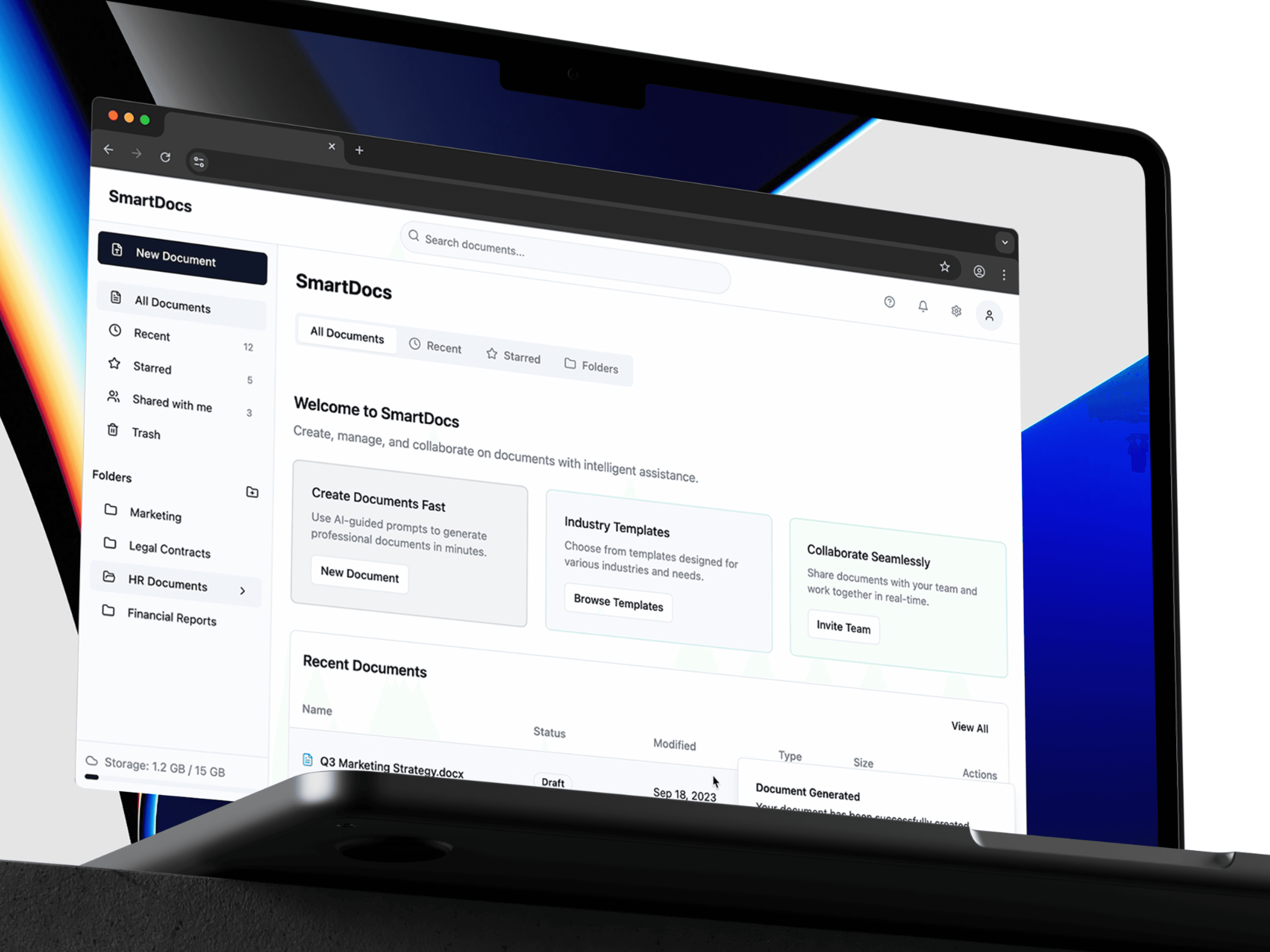
The persistent sidebar serves the ops manager use case. Clean table view, document name, type badge, status pill, last modified date. No folder hierarchy to maintain. Status pills (Draft, In Review, Finalised, Sent) do the work folders usually do, without requiring the user to decide where something lives.
File-type badges matter for the ops manager specifically. Seeing at a glance that a row is a DOCX rather than a PDF, and therefore still editable, removes a decision point that would otherwise require opening the file. Small legibility improvements compound across a library of hundreds of documents.
Open-ended AI prompts are the wrong tool for this job
One alternative I explored was a chat interface: describe what you want, the AI produces it. I built it, and the flaw is structural. Users who don't already know how to write the document also don't know how to prompt for it. The chat box is just a more technology-forward blank page.
Constraining the AI into a structured wizard, where it asks questions rather than waiting to be prompted, changes the dynamic entirely. The AI becomes a guide rather than a tool. The user's job shrinks from "write a document" to "answer these questions." Those are very different cognitive tasks, and only one of them produces consistent output quality.
That insight carries beyond SmartDocs. Generative AI is most useful to non-experts when the interface does the prompting for them.