InsightFlow

InsightFlow

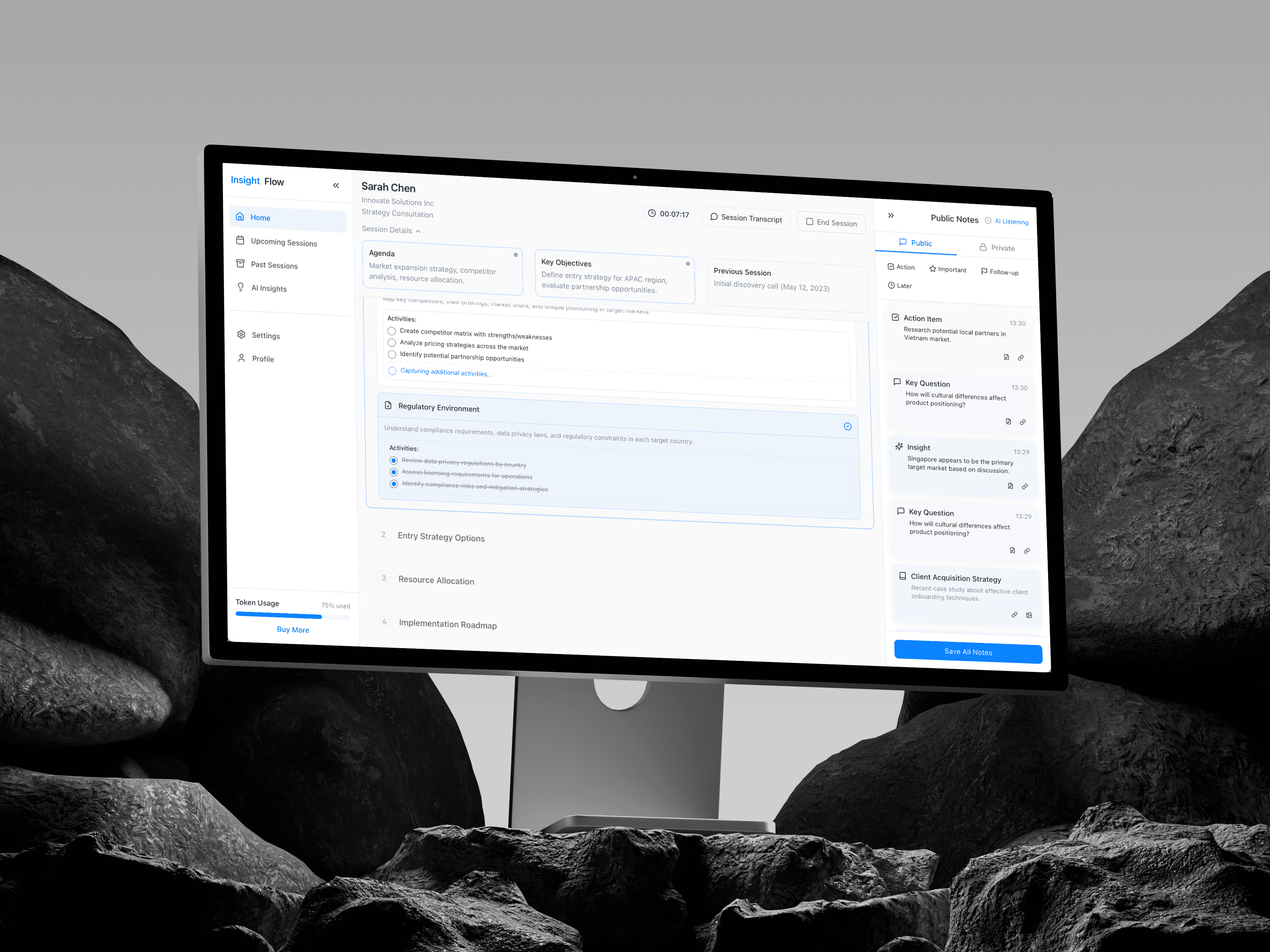
InsightFlow is a consultation management platform for business strategists. The existing app ran live sessions, tracked workshop sections, and took notes. What it lacked was any intelligence: no brief before the session, no synthesis during it, no structured output after. This project added an AI intelligence layer across all three phases, implemented as isolated components drawing from a shared data layer, with no changes to the underlying session infrastructure.

Year

11.25

Scope

Rapid Prototyping, Live Chatbot

Timeline

4 weeks

The Audit: What the Product Promised

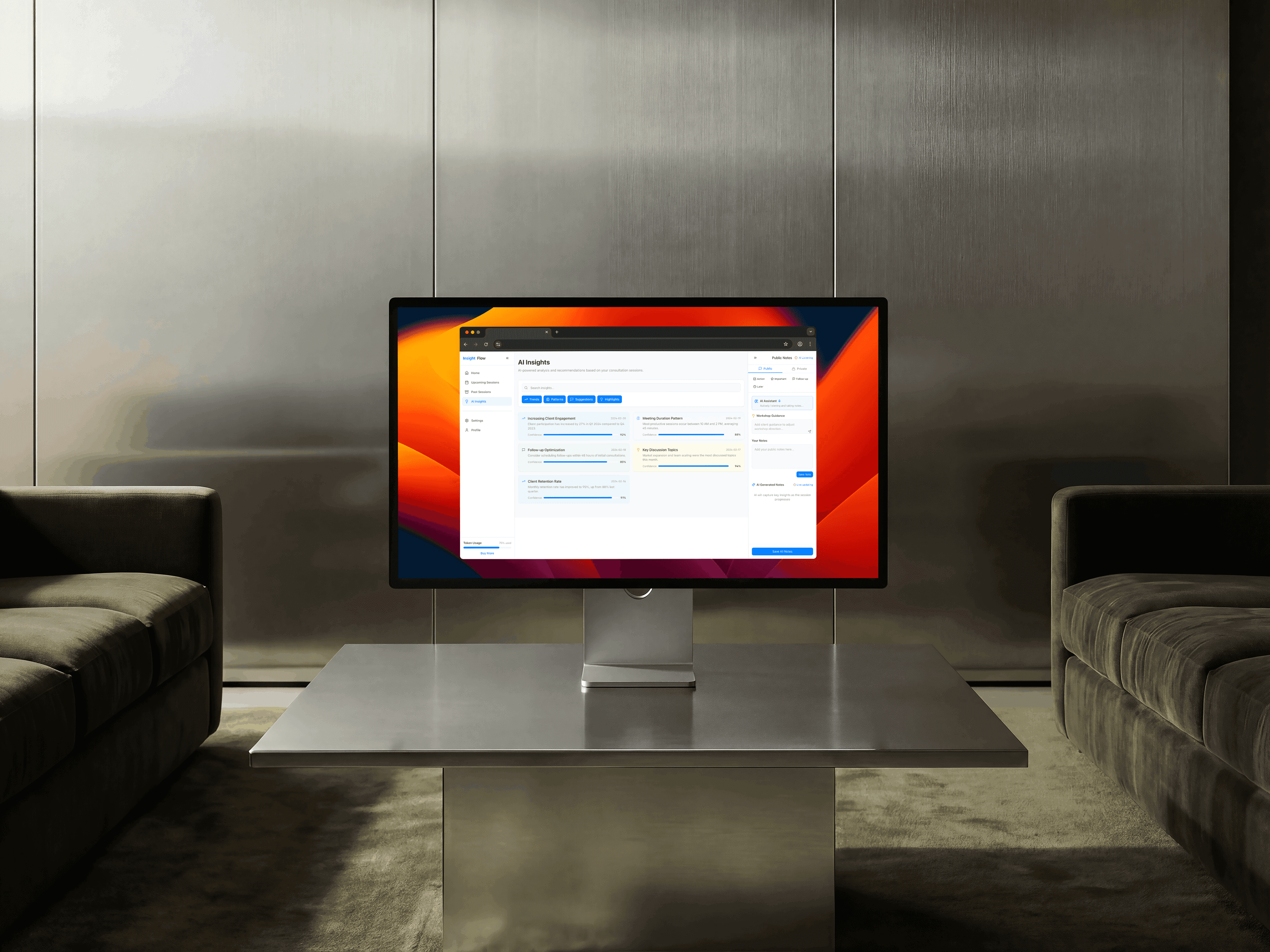
The app was a competent session runner. It had a four-section workshop structure, a timer, session state management across idle, live, and completed phases, a right sidebar for notes, and a page of static insight cards. The name InsightFlow implied intelligence flowing through the consultation. Nothing did. The right sidebar simulated AI by generating random strings from a fixed list every eight seconds. The AI Insights page was a filterable grid of hardcoded cards with no connection to session data. The audit reduced to one question: what would this product need to actually behave like its name?

Ideation: Six Capabilities Across Three Phases

Six features were identified, mapped to the three phases of a consultation. Pre-session: a client intelligence brief synthesising context from prior sessions, with confidence scores and watch points for topics to avoid. During the session: a live topic tracker detecting and categorising themes in real time, and a session intelligence panel updating engagement, sentiment, agenda adherence, and talk-time metrics every six seconds. Post-session: a structured report generator producing executive summary, key decisions, action items, and follow-up recommendations, a follow-up email composer built from those items, and a client memory view showing recurring themes and relationship arc across all sessions.

Julian Vance

Senior ML Engineer

Diagnoses complex agent failures and optimises reasoning loops.

Trace Observability

Prompt Engineering

Latency Optimisation

Elena Rodriguez

Compliance Specialist

Audits autonomous outputs for accuracy and redlines hallucinations.

Redlining Logic

HITL Verification

Domain Alignment

Marta Chen

Head of AI Strategy

Benchmarks models in the Arena to ensure operational reliability.

Model Benchmarking

KPI Monitoring

Token Unit Economics

Architecture: Data Layer First

Before any component was written, all TypeScript interfaces and mock data went into a single file: src/utils/aiData.ts. ClientBrief, DetectedTopic, SessionMetrics, SessionReport, FollowUpDraft, and ClientMemoryData are all defined and populated there. Components consume the layer; they do not define it. All five AI components live in src/components/AI/, isolated from the existing session and layout components. The main navigation decision was adding a tab split to LiveSession: Workshop for the existing agenda runner, AI Intelligence for all three session phases. The intelligence tab surfaces ClientBrief in idle state, SessionIntelligence during a live session, and ReportGenerator on completion.

Implementation: The Decisions That Required Thought

Two components needed careful state design. SessionIntelligence runs a setInterval that updates four metrics every six seconds during a live session, keeping values within bounded ranges so they move plausibly rather than randomly. TopicTracker manages a growing topic list by drawing from a pool on a 14-second interval, adding topics without replacing existing ones so the list accumulates as a session progresses. The right sidebar gained a three-way tab structure: Public, Private, and Topics. Adding the third tab without restructuring the existing notes logic meant keeping the notes tabs rendering conditionally and mounting TopicTracker only when the Topics tab is active.

The Client Intelligence Brief

The brief is the smallest component and the one that changes how a session feels before it starts. It renders in idle state, pulling from clientBrief in aiData.ts: four key context points each with a confidence bar and source attribution, three recommended opening moves, and two watch points. The confidence bar uses a three-colour scale: primary above 90, amber between 80 and 90, muted below. The source field distinguishes between facts from a past session and inferences made by the AI, a distinction that matters when a consultant decides how much to rely on a data point. The brief disappears the moment the session starts and SessionIntelligence takes over the panel.

Outcome

The result is a consultation platform with an AI intelligence layer running across all three session phases, deployed to Vercel and embedded as an interactive preview in this case study. Five new components, one shared data file, zero changes to Dashboard, LeftSidebar, Timer, Transcription, or SessionContext. The architecture separates AI data from AI presentation from session state, which means swapping mock data for real API responses is a data layer change only. All six features are interactive: start a session to see intelligence metrics update live, end it to generate the report and draft the follow-up email, then visit AI Insights to view the client memory across all sessions.

More projects.

Have a project?

We’d love to hear from you — whether you have a project in mind, or just want to say hi.