TalentFlow

TalentFlow

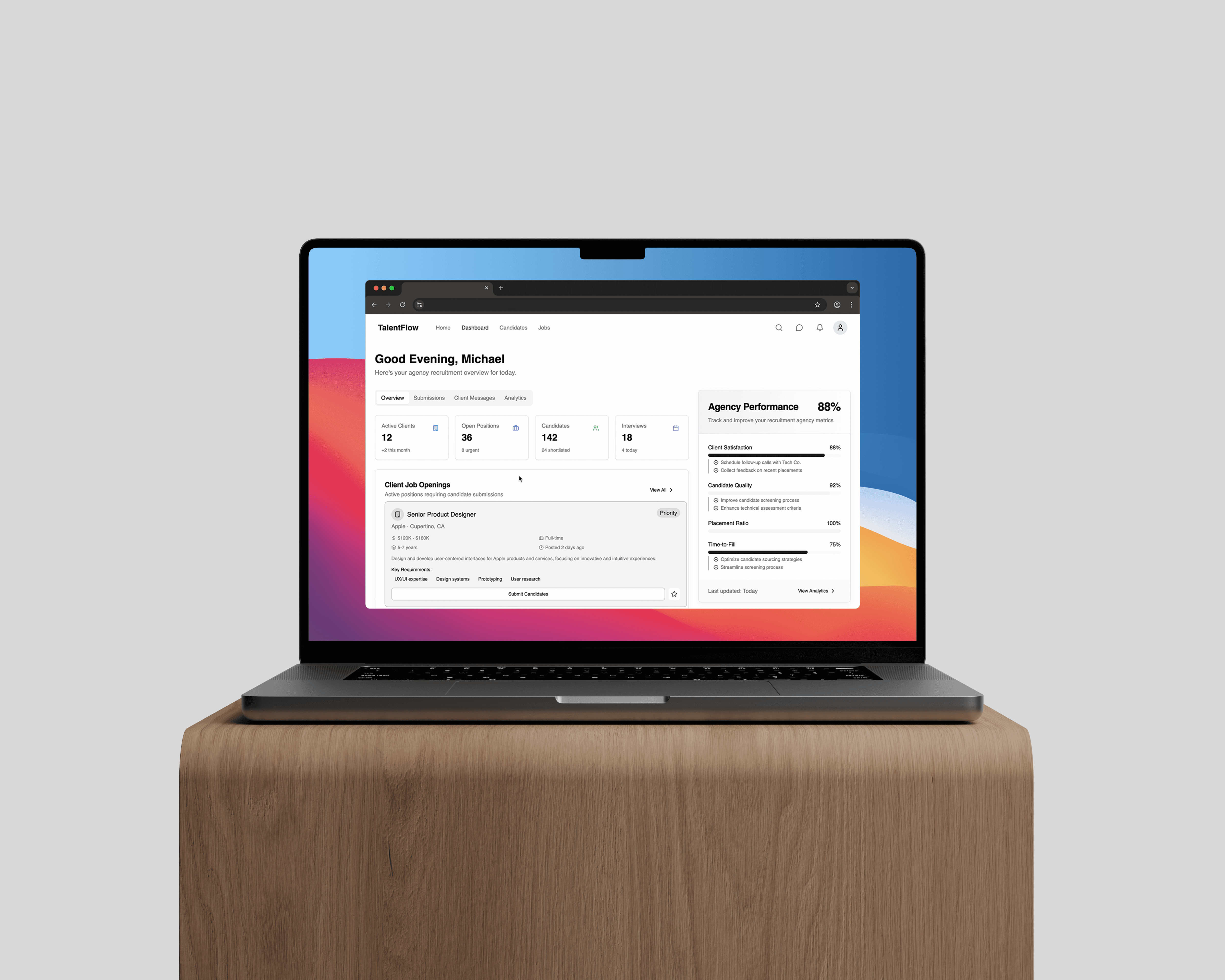
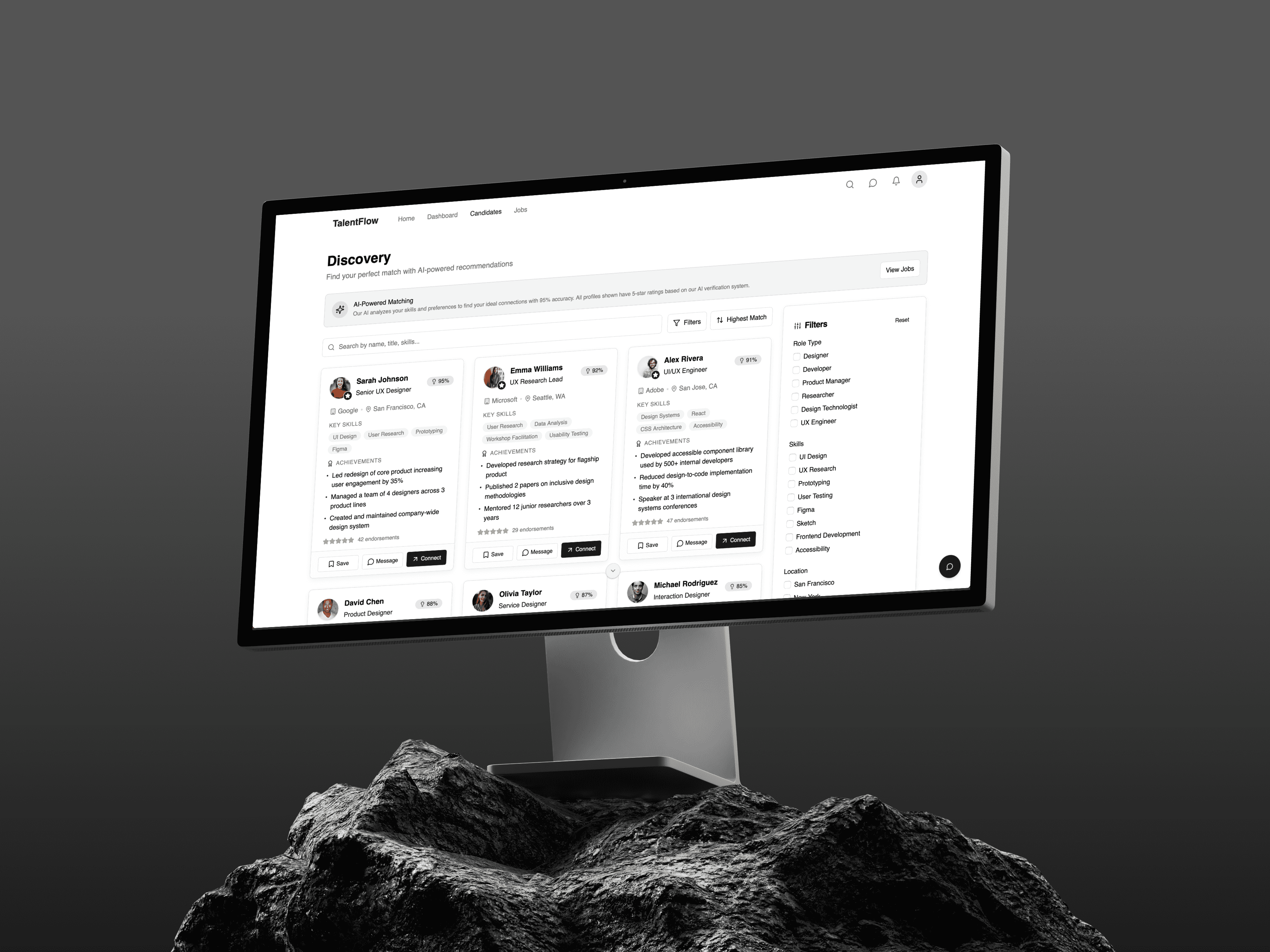
TalentFlow is a recruitment and talent matching platform for professionals navigating complex multi-project environments. The platform had a coherent visual language and a functional card grid, but described itself as AI-driven without any AI in the codebase. This project added six discrete AI capabilities across match intelligence, skill analysis, outreach, market signals, candidate profiling, and pipeline advisory, all built on top of the existing component structure without touching routing, layout, or session state.

Year

10.25

Scope

AI Profile Matching, LLM Integration

Timeline

3 weeks

The Audit: What the Product Promised

The app described itself as AI-driven in the welcome notification. Nothing in the codebase supported that. Match scores on ProfileCard were static numbers hardcoded into projectGroups. The SidePanel Role Matches section was three inert cards with placeholder logos. HiringWorkflow showed pipeline stages with fixed badge colours and a collapse toggle. The Connect button called onClose. The welcome toast was the only mention of AI in the entire codebase. The gap was structural: every data point that should have been computed was hardcoded, every interaction that should have triggered something was wired to nothing. The audit reduced to one question: what would this product need to actually behave like its name?

Ideation: Six Capabilities Tied to the Product

Six features were identified, each specific to talent matching and recruitment. MatchExplainer decodes any match score into its components: skill overlap count, seniority alignment, timezone compatibility, and company stage fit. SkillGapRadar renders a recharts radar chart showing the gap between current skills and market demand, with an unlock calculator showing how many additional role matches each missing skill would enable. OutreachDraft generates a tailored connection message per profile based on shared skills and background. HiringSignalFeed replaces the inert Role Matches list with ranked market intelligence. CandidateBrief synthesises a three-part AI summary for each person card. PipelineAdvisor adds a per-stage next-best-action recommendation with confidence scoring to the hiring workflow drawer.

Julian Vance

Senior ML Engineer

Diagnoses complex agent failures and optimises reasoning loops.

Trace Observability

Prompt Engineering

Latency Optimisation

Elena Rodriguez

Compliance Specialist

Audits autonomous outputs for accuracy and redlines hallucinations.

Redlining Logic

HITL Verification

Domain Alignment

Marta Chen

Head of AI Strategy

Benchmarks models in the Arena to ensure operational reliability.

Model Benchmarking

KPI Monitoring

Token Unit Economics

Architecture: Data Layer Before Components

All TypeScript interfaces and mock data went into src/utils/aiData.ts before any component was written. MatchBreakdown, RadarDataPoint, SkillGap, SignalItem, CandidateBriefData, and PipelineAdvice are all defined and populated there. Components read from the layer; they do not define it. The six new components live in src/components/AI/, isolated from the existing ProfileCard, SidePanel, and HiringWorkflow files. The main navigation decision was a view-level tab split on ProfileCardGrid: Insights for the radar chart and skill analysis, Discover for the existing card grid. Insights is the default, so the radar chart is the first thing visible on load. None of the original routing, App.tsx, MainLayout, or Header files were modified.

Implementation: Three Decisions That Required Thought

MatchExplainer uses a Radix Popover triggered from the match score badge. The trigger needed to be a plain button element rather than a Badge component to avoid nesting interactive elements inside an already-clickable card div. OutreachDraft uses a Sheet rather than a Dialog: the drafted message is long enough that a slide-over preserves context while editing. It includes an alt draft function that leads with the rarest skill rather than the strongest overlap, because a single generated message reads as a template. PipelineAdvisor manages acknowledged state locally per card rather than lifting it to HiringWorkflow, since no cross-card coordination was needed and lifting state would have required restructuring the existing component.

The Candidate Intelligence Brief

CandidateBrief is the smallest component and the one that changes what the cards communicate. It replaces three hardcoded bullet points with a three-part brief: a summary paragraph synthesising background, a standout observation specific to how the person works, and a fit rationale tied to the project group they appear in. The brief is progressively disclosed: the summary is always visible, Standout and Fit expand on click via a chevron toggle. Four briefs are written across the four people cards, each specific enough to show genuine differentiation rather than template variation. The component renders only for profiles where type equals person, leaving job cards unchanged. It imports directly from aiData.ts with no additional state or props threading required.

Outcome

The result is a recruitment platform with a working AI layer across match explanation, skill analysis, outreach, market signals, candidate intelligence, and pipeline advisory. Six components in src/components/AI/, one shared data file, zero changes to App.tsx, MainLayout, Header, or the original ProfileCard structure beyond the AI insertions. The architecture keeps AI data, AI presentation, and UI state as separate concerns. Switching from mock data to live API responses is a change confined to aiData.ts. The app is deployed at dynamic-connectivity-platform.vercel.app and embedded as an interactive preview in this case study. The default view opens on Insights, with the radar chart visible immediately on load.

More projects.

Have a project?

We’d love to hear from you — whether you have a project in mind, or just want to say hi.