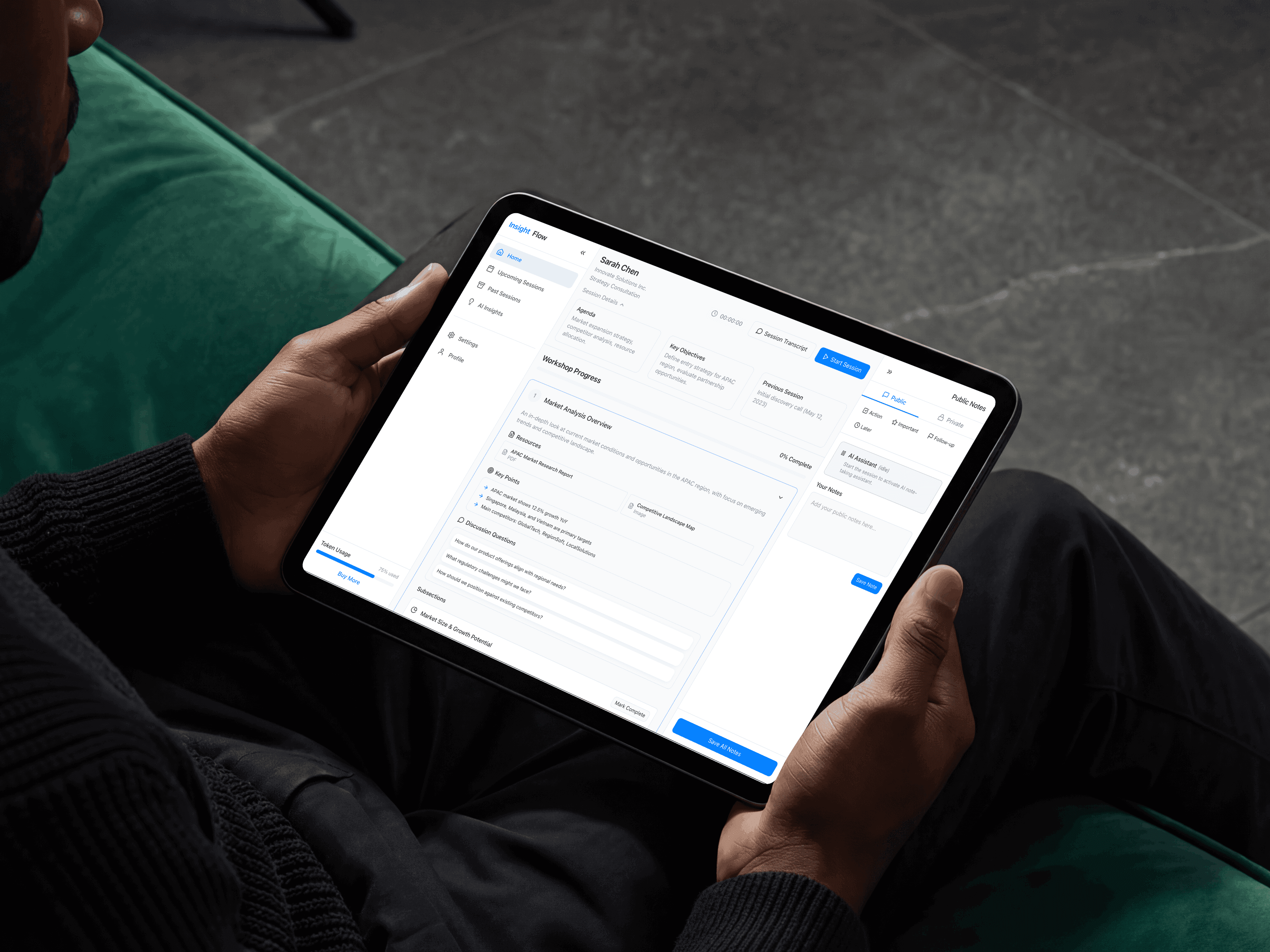
A consultant running a high-stakes strategy session is doing two jobs at once. The one the client can see, and the one they can't.
On the surface: listening, questioning, guiding. Underneath: absorbing everything being said, cross-referencing it against prior work, hunting for the right reference document, forming the next question, and somehow writing all of it down at the same time. The note-taking and document-hunting is what degrades the conversation. You can't be fully present when part of your attention is on the keyboard.
That was the problem. What it actually meant took longer to understand.
The Dual-Task Penalty: Every cognitive resource spent on admin during a live session is stolen from the client. The feeling of "losing the room" while hunting for a document you know exists somewhere is the thing worth designing against.
Reactive AI Doesn't Work Here: Early thinking pointed toward a chat interface. Type a question, get an answer. I killed that idea fast. Typing a prompt mid-meeting means breaking eye contact, losing your thread, and signalling to the client that you're not fully with them. A consultant can't use a chatbot during a pitch.
The Admin Spiral: Post-session, the burden shifts but doesn't shrink. Notes need structuring, follow-ups need drafting, references need filing. Administrative work compounds after every meeting.
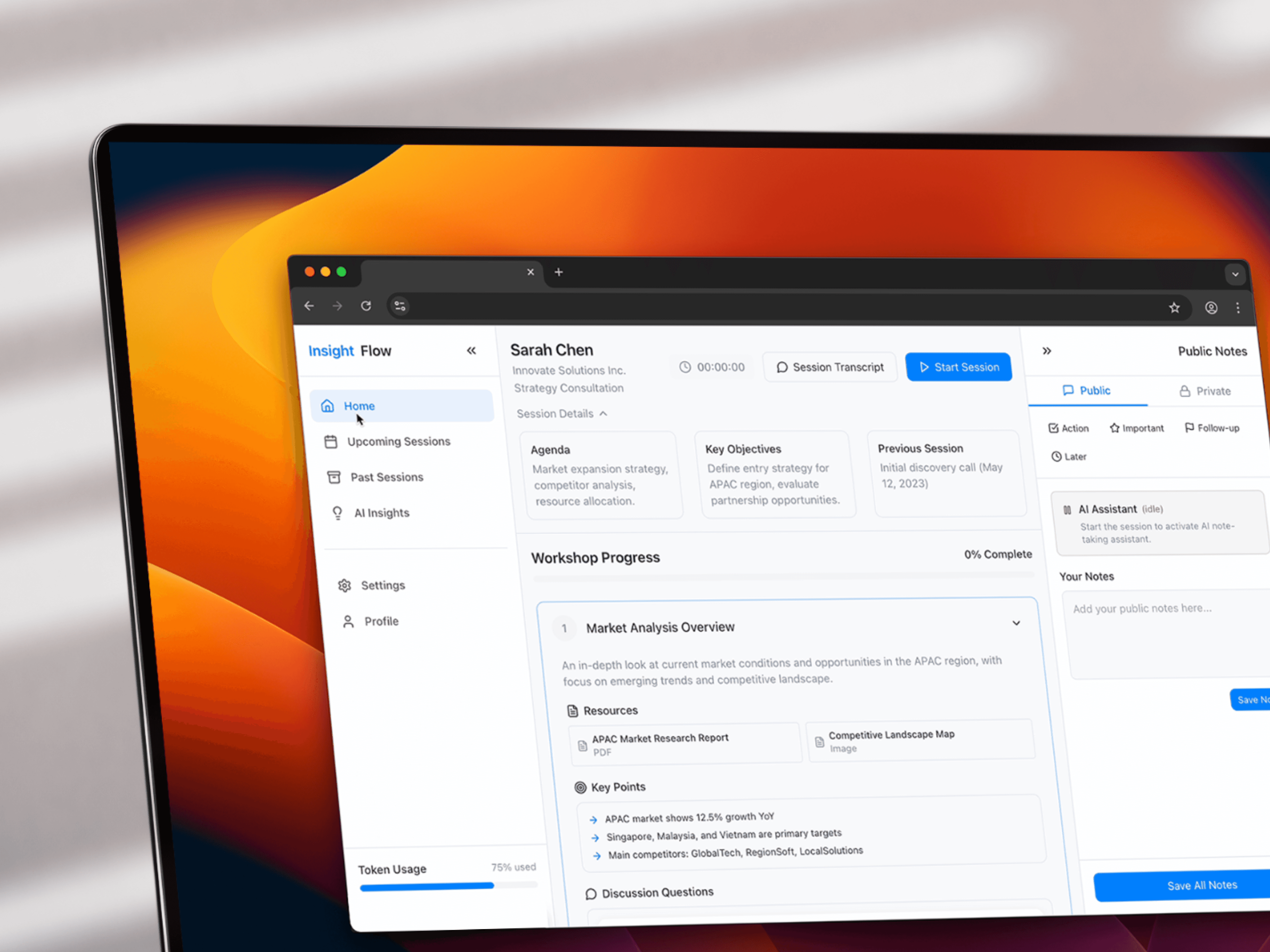
I designed the layout before I designed any feature
The workspace is split into two distinct hemispheres, and that division was the first and most important design decision. Left side: static, known, predictable, the agenda, the live transcript as it builds word by word, the session structure. Right side: dynamic, AI-generated, surfaced in real time, extracted insights, flagged topics, suggested references, recommended follow-ups.
The logic was simple: the left side is what the consultant already knows is happening. The right side is what the system is noticing that the consultant doesn't have bandwidth to notice themselves. Two very different cognitive jobs, separated into two columns, so neither contaminates the other.
Most of the work went into information hierarchy within the right panel. Everything the AI surfaces is ranked by confidence and relevance to what's being said right now, not what was said five minutes ago. Stale suggestions fade. Relevant ones come forward. The panel has to feel like a smart colleague reading the room, not a search results page.
The transcript interface required more care than I expected
Live transcription sounds like a solved problem. In a consultation context it isn't. Consultants speak over each other, clients interrupt, there are long pauses, there's crosstalk. The transcript view needed to handle all of that without becoming unreadable mid-session.
Speaker demotion, the ability to mark a segment as background noise or sidebar conversation, was the design that resolved it. Without it, the transcript fills with fragments the AI then tries to interpret. With it, the consultant can keep the signal clean in real time with a single tap, no typing required.
The transcript also had to feel calm. No flashing, no aggressive animations as new words appear. Text rolls in at reading pace. The goal is for the consultant to glance at it briefly for confirmation, not read it actively.
Silent Guidance is the idea I'd take furthest
The mechanism I think matters most isn't transcription or insight generation, it's a small discreet input that lets a consultant flag something for the AI without speaking or typing. A brief tap on a keyword in the transcript tells the system: expand on this. Surface related material. Track this thread.
The intent is that instead of mentally bookmarking things to chase up later, the consultant hands the flag to the system in the moment and stays in the conversation. The AI then builds on the flagged thread in the right panel, quietly, while the session continues.
Silent Guidance wasn't in the original scope. It came from thinking about what a consultant's hands are doing during a meeting, and realising the answer is almost nothing.
The first build was good at capturing. It wasn't good at supporting.
The early version recorded everything, transcribed accurately, and generated a solid post-session summary. That's useful. But the real-time value, the thing that would justify having a screen open during a meeting at all, wasn't there.
The Live Recommendation engine came out of that gap. By processing the transcript at near-zero latency rather than in batches, the right panel starts surfacing relevant prompts and historical data mid-conversation rather than after the fact. The shift from batch processing to streaming is technically small and experientially enormous. It's the difference between a recording assistant and a live strategic partner.
What the project clarified: AI in high-pressure environments has to be invisible
Every interaction model that requires the consultant to actively query the AI breaks down under live session conditions. The cognitive overhead of forming a prompt is too high when you're also managing a client relationship in real time.
What should work is a system that decides what to surface without being asked, and is right often enough to be trusted rather than second-guessed. That relevance model is the hard part, and it's untested. Designing an interface that feels calm and confident while being imperfect is a harder problem than making it accurate, and it's the one I'd want to put in front of a real consultant in a real session before claiming it's solved.