
Most enterprise document problems aren't document problems. They're data pipeline problems wearing a document costume.
You open Word. You start a contract. You type the client's name, their address, their project scope, the pricing you agreed in the last email, the terms from the template you found in a shared drive that may or may not be the current version. All of that information already exists somewhere in your systems. You're just copying it by hand into a new place, slowly, with a meaningful chance of introducing an error in a legally binding document.
ProcessPilot started there. Not with "how do we make documents better" but "how do we stop people having to type information that already exists."
Document Drift: Outdated templates circulate because there's no reliable signal for which version is current. Teams use the wrong NDA from six months ago because it was the one in their Downloads folder.
The Re-typing Tax: Teams transfer data that already exists in their CRM or project management tool into Word documents, by hand, every day. That's not a workflow, it's a broken pipe.
Error Propagation: Manual data entry into high-stakes documents is where mistakes happen. A transposed digit in a contract value. The wrong client name copied from the previous proposal. Small errors with large consequences.
Three roles, three completely different tolerances for risk
The Sales Director's primary concern is speed and modularity. Generating proposals at volume, often under time pressure, assembling a document from existing components without reviewing every line. A small error is an acceptable trade for getting the proposal out the same day.
The HR Specialist has near-zero tolerance for error. Employment contracts, NDAs, sensitive compensation data. Template adherence isn't a preference, it's a compliance requirement. Certainty before the document leaves their hands.
The System Admin sits between them, configuring the template logic and data connections both rely on. They care about reliability and auditability, can they trace where every piece of data in a document came from?
Designing a single interface that serves all three without compromising any of them was the central tension of the project.
The stepper was the first thing I built, and I nearly threw it away
A numbered stepper, Step 1, Step 2, Step 3, feels obvious in retrospect. During early exploration I resisted it. It felt reductive, like simplifying a complex process into a fake simplicity. Surely experienced professionals don't need to be walked through document creation like a wizard?
Building the alternative changed my mind. A full form interface is completable, but it asks the user to hold the structure of the task in their head at the same time as doing the task. You scan back and forth checking what you filled in, second-guessing, losing your place. The task is familiar and the overhead is still high.
The stepper doesn't simplify the task. It removes the overhead of managing the task's structure while performing it. One question at a time. One decision at a time. Everything else hidden until it's relevant.
Source Record Integration: the pivot that redefined what the tool was
The first version was a structured form-builder. Better than Word, but only marginally. You still typed everything. You still had to know what to put in each field. The speed improvement was real but modest.
The pivot came from a simple observation: every piece of information the user types into the form already exists somewhere else in their systems. Client name, in the CRM. Project scope, in the project tracker. Pricing, in the proposal that was already approved.
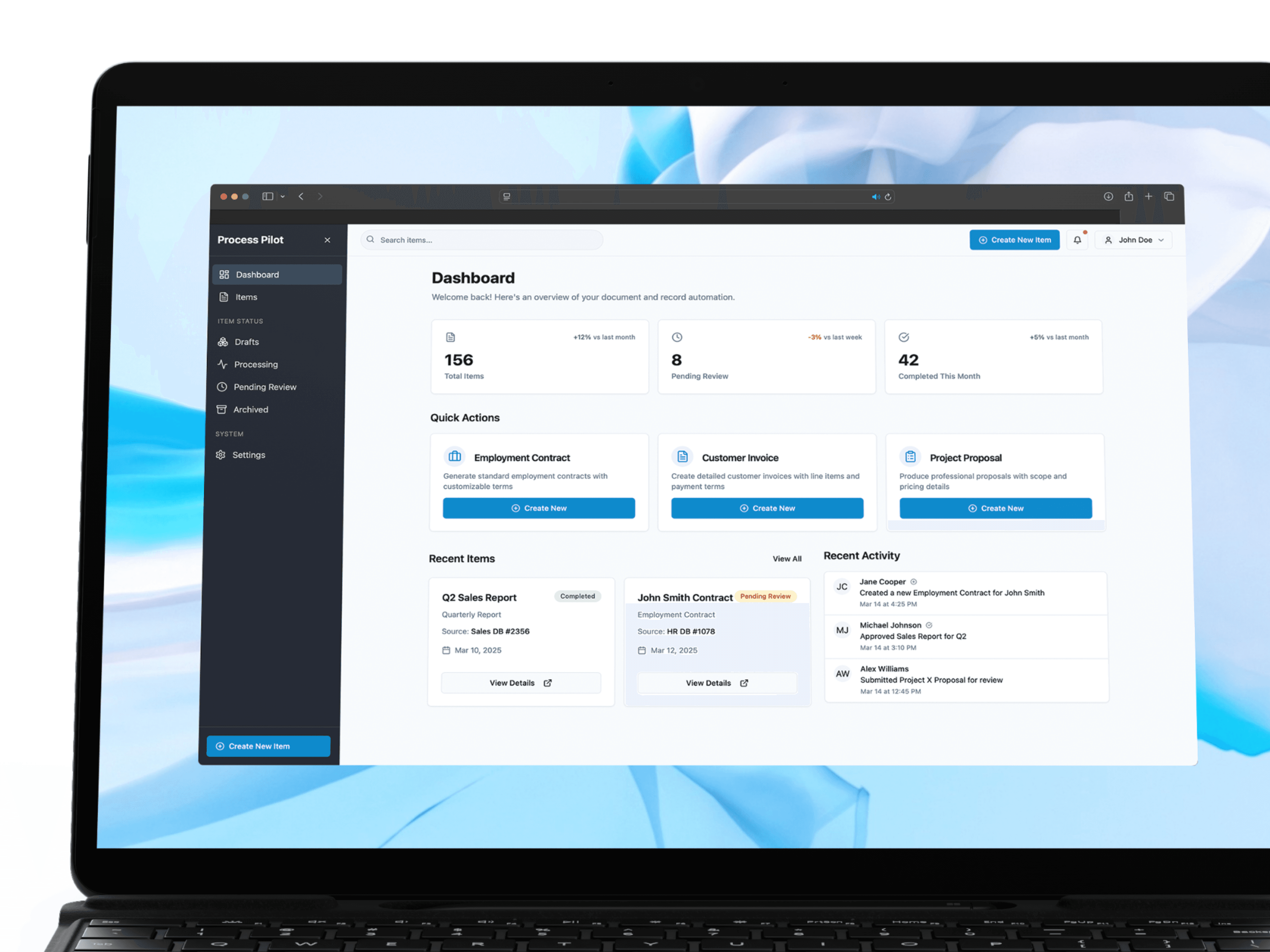
Source Record Integration flips the model. Instead of typing a client's name, the user searches for a Project ID. The system pulls all associated metadata and hydrates the template. The user reviews, not enters. They verify, not transcribe.
The review screen became the most important screen in the product. It shows every pre-filled field with its source clearly labelled, where the value came from, when it was last updated. That transparency is what makes the tool usable for the compliance-sensitive case. You can sign off on a document knowing exactly where each piece of data originated.
Card-based type selection: a small decision with a disproportionate effect
Step 2 asks the user to select what kind of document they're creating. The original design used a dropdown, which forces you to read and interpret a list of text labels even when the choice is obvious.
Switching to large visual cards with distinct iconography, a clean icon for Invoices, a different one for Contracts, another for Proposals, removes that reading step. The visual distinction between financial and legal document types does the work the labels were doing.
It's a small change. The effect on the flow's perceived simplicity is not small.
The principle: the best form is the one that requires the least typing
Shifting the user's role from data entry to data verification changes how the tool feels entirely. It also changes what it is. ProcessPilot isn't a document creator, it's a document orchestrator. It connects things that already exist and assembles them into something new. The user's job is to confirm the assembly is correct, not to perform it.
That distinction sounds philosophical. It's the whole product.